Star Wars: Galactic Racer Review
Star Wars: Galactic Racer is a fantastic but ultimately short game. I thoroughly enjoyed my time with it, but it was far too brief at only 11 hours to roll credits.
Star Wars: Galactic Racer is a fantastic but ultimately short game. I thoroughly enjoyed my time with it, but it was far too brief at only 11 hours to roll credits. It has so many great concepts and ideas that just couldn’t be fleshed out in that time, and it suffers for it.
Star Wars: Galactic Racer is structured as a RogueLike where each run consists of multiple races across a number of planets culminating in a final special event. With each run you can earn upgrade points for your chosen vehicle, unlock parts and bonuses, as well as tokens which can be spent on cosmetics. This means even if you fail, you’re still getting better and stronger (and more fashionable). This works well for me, as I traditionally bounces off games where I don’t feel like I’m progressing.
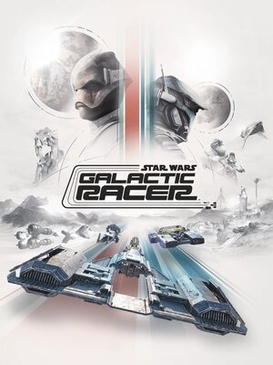
Galactic Racer does utterly nail the driving of each vehicle. I opted for the Skim speeder, a new type of vehicle introduced for this game. It allows a racer to perform a “knife edge”, where the whole speeder rotates 90 degrees, enabling sharper turns. You fly at incredible speeds, so just looking at the HUD is a challenge to ensure you didn’t careen into a wall.
The overall presentation is gorgeous. You can see the tubes, wires, and couplings of each speeder, and how the rough paint job was sprayed over the top. These machines look like they were built by people. Meanwhile the way the heat shimmers off the sand dunes of Jakku is beautiful, even if you don’t get much chance to notice as you’re flying past at over 400mph. All of the characters, speeders, and environments look “movie perfect”. The sound effects are also excellent. You can really hear the thunk as you engage your booster, or the whine of a speeder bike closing behind you. The team at Fuse Games really nail the presentation.
The inclusion of a storyline, while brief, was a great idea. It gave me a sense of purpose as to why I was racing, as well as a reason to push onwards. Was it a little simple and cliché? Of course, but I don’t think I’d change that. The simple narrative made me want keep going, to keep racing, and to win. Which, ultimately, is the point of a story in this kind of setting.
Galactic Racer is broken into three acts. Each act has a story arc, which is completed on the successful finish of a full run. Each act is supposedly longer than the last, as there are more races and planets to complete. However, that’s not quite how it played out for me.
The first act is technically the shortest in race and planet count, but the one found the hardest and ultimately longest to complete. Learning the systems and vehicles, as well as your speeder not having any upgrade points invested, resulted in some incredibly infuriating situations where I couldn’t catch up to an opponent no matter what I tried, and frustrating crashes on courses I didn’t yet know.
The second act, while longer due to number of races and planets, ended up showing the unbalanced nature of the RogueLike setup. I’d come first in every race leading up to the final event, only to be crushed as I was unfamiliar with the final planets race track and setup. It’s impossible to get training time on that final planet without spending 30 minutes getting there. Spending half an hour absolutely “crushing it” but then being “stomped on” within the final five minutes felt a bit unbalanced and unfair.
The final act should have taken the longest, yet I finished it on my first attempt. While I understand that RogueLikes mean you get progressively stronger, this felt wrong. I should have spent more time throwing myself at the “brick wall” of the final act, but instead it was over almost as soon as it began.
The nature of this RogueLike set up is a double-edged sword. On the one side the races and runs being randomised is great for repeated play throughs, which you have to do when you fail. On the other, spending 30 minutes or more to get to a track that cannot be trained on to then be smashed, is rather disheartening. To get good at these “boss level” final tracks, you have to become too good at all previous races which in turns makes these slightly boring.
I can see so much greatness here, but it’s held back by its three-act length. There are a number of systems that feel barely explored. One such system, Rivals, is introduced in act 3. You have to beat a specific racer across a number of races which then unlocks certain perks. But as I beat the game so quickly, this never really got time to become important. A real missed opportunity.
I really enjoyed my time with Galactic Racer. However, so much stops it from being great. The inclusion of a story, the presentation, and the driving mechanics are all top notch. It’s the overall structure that makes it all feel small. Almost like it’s a proof of concept. If they plan to do a sequel (I really, really, really hope they do), I hope it’s larger in scope and a little more balanced.
So my advice would be: if you’re not sure I’d wait for Galactic Racer to go on sale. Maybe it’ll show up on PlayStation Plus? If it does, dive on it and savour it. However, if you’re like me and have been waiting for a successor to Star Wars Episode I: Racer for over 20 years, well, here it is! And oh boy, is it fun while it lasts!